Nalvera.AI runs three published AI models that outline organs, muscles, and bones on an MRI scan automatically, and Nalvera iSeg follows your clicks for anything else.
Upload a scan in your browser, choose an AI task, and get every structure outlined in 3D.
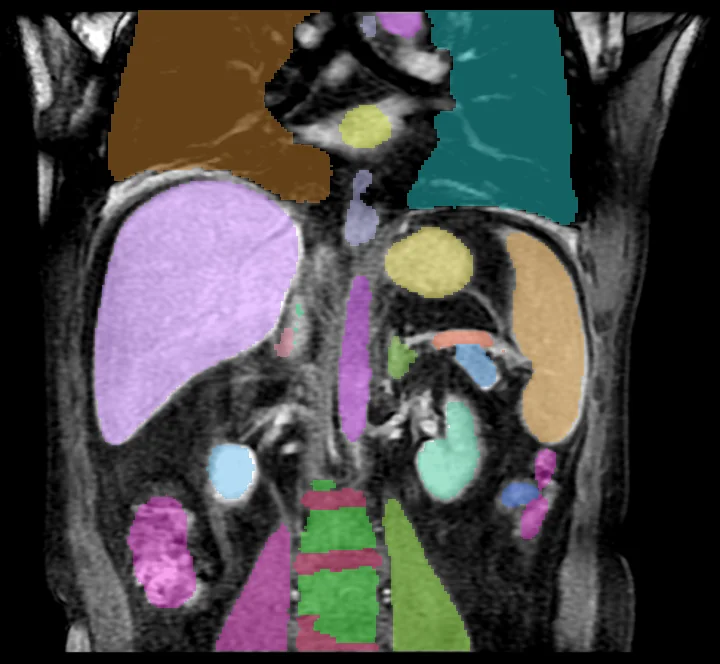
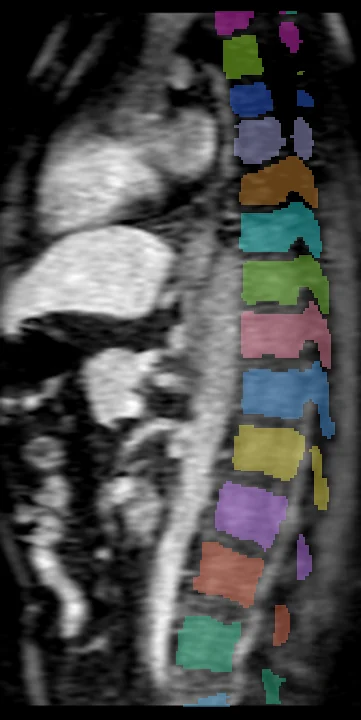
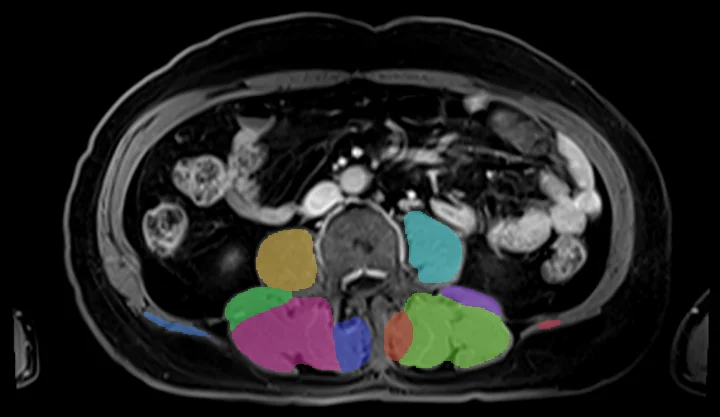
Which AI task outlines what
| Structures | AI tasks |
|---|---|
| Organs of the chest and abdomen | TotalSegmentator MRI, Total · MRSegmentator, Anatomy (MRI) |
| Spine and vertebrae | TotalSegmentator MRI, Vertebrae |
| Muscles | MuscleMap MRI, Whole body |
| Fat and body composition | MRSegmentator, Body composition |
| Liver segments | TotalSegmentator MRI, Liver segments |
| Anything else | Nalvera iSeg, with clicks |
Organs
TotalSegmentator MRI outlines the organs, bones, vessels, and major muscle groups of the body in one AI task. Researchers use these outlines to measure organ volume across patients and as a first draft to correct by hand. MRSegmentator outlines the trunk from the chest to the hips, with the same labels on MRI and CT. For the liver in more detail, TotalSegmentator MRI has a task for the liver segments.
Spine and vertebrae
The Vertebrae task of TotalSegmentator MRI labels each vertebra from C1 to L5, and the sacrum, so the same level can be found in every scan. Its whole-body task outlines the spine as one structure, the intervertebral discs, and the spinal cord.
Muscles
MuscleMap MRI outlines single muscles and bones from the neck to the leg. It works across MRI contrasts, so scans from different protocols can go through the same analysis, for example to compare muscle volume between patient groups.
Fat and body composition
The Body composition task of MRSegmentator outlines subcutaneous fat, visceral fat, gluteofemoral fat, and the abdominal muscles, which gives the volume of each tissue per patient and its change between scan dates.
TotalSegmentator MRI, MRSegmentator, or MuscleMap MRI: how to choose
| Model | In short | Paper |
|---|---|---|
| TotalSegmentator MRI | The whole body and single regions, trained on common abdominal, pelvic, and whole-body sequences | Akinci D'Antonoli et al., Radiology, 2025 |
| MRSegmentator | The same labels on MRI and CT, and an AI task for body composition | Häntze et al., Radiology: Artificial Intelligence, 2025 |
| MuscleMap MRI | Single muscles and bones, across MRI contrasts | McKay et al., Journal of Imaging, 2024 |
Start with a whole-body task for a first draft of every structure. Choose MuscleMap MRI when your question is about single muscles, and the Body composition task when it is about fat. Each model page lists what the model was trained on and where it is less reliable.
For CT scans, see the CT segmentation guide.
Anything else: click to segment
A structure that no AI task lists can be outlined with clicks in the Interactive Studio, in a desktop browser. Nalvera iSeg turns your clicks into a 3D outline, and you can correct any outline by hand.

What you upload and what you get back
Upload an MRI scan in a standard medical imaging format. You check the outlines in your browser, correct them where needed, and download the segmentations. Study Design measures the volume of every structure, across patients and scan dates.

Research use only. Nalvera.AI is not a medical device, and AI-generated outputs are not intended for clinical diagnosis or treatment.